Owner API
Introduction
The email address to contact us is api.support@avaibook.com
We will be happy to help you. Remember that the response time is between 24h and 72h.
Certification
In order to start using our API, we first have to register you in our pre-production environment. For this, we need you to confirm us the email account that you would like to use for the registration.
Once we have created the account for you, you will receive a welcoming email where you will find the password to access our pre-production environment. Additionally, we will activate the API Key which you will find it under the API configuration details.
How can I get the APIkey?
To get the apikey you have to access here .
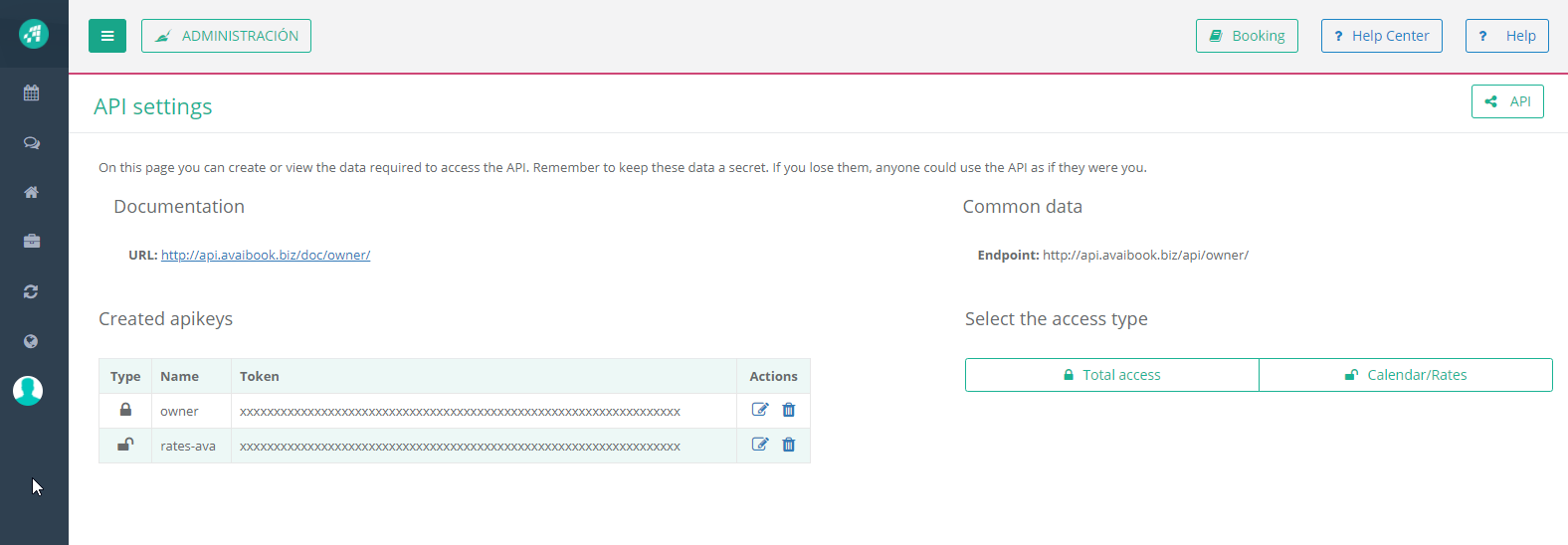
You can create APIkeys to modify all the information or just update rates and availability.
What can you get from AvaiBook?
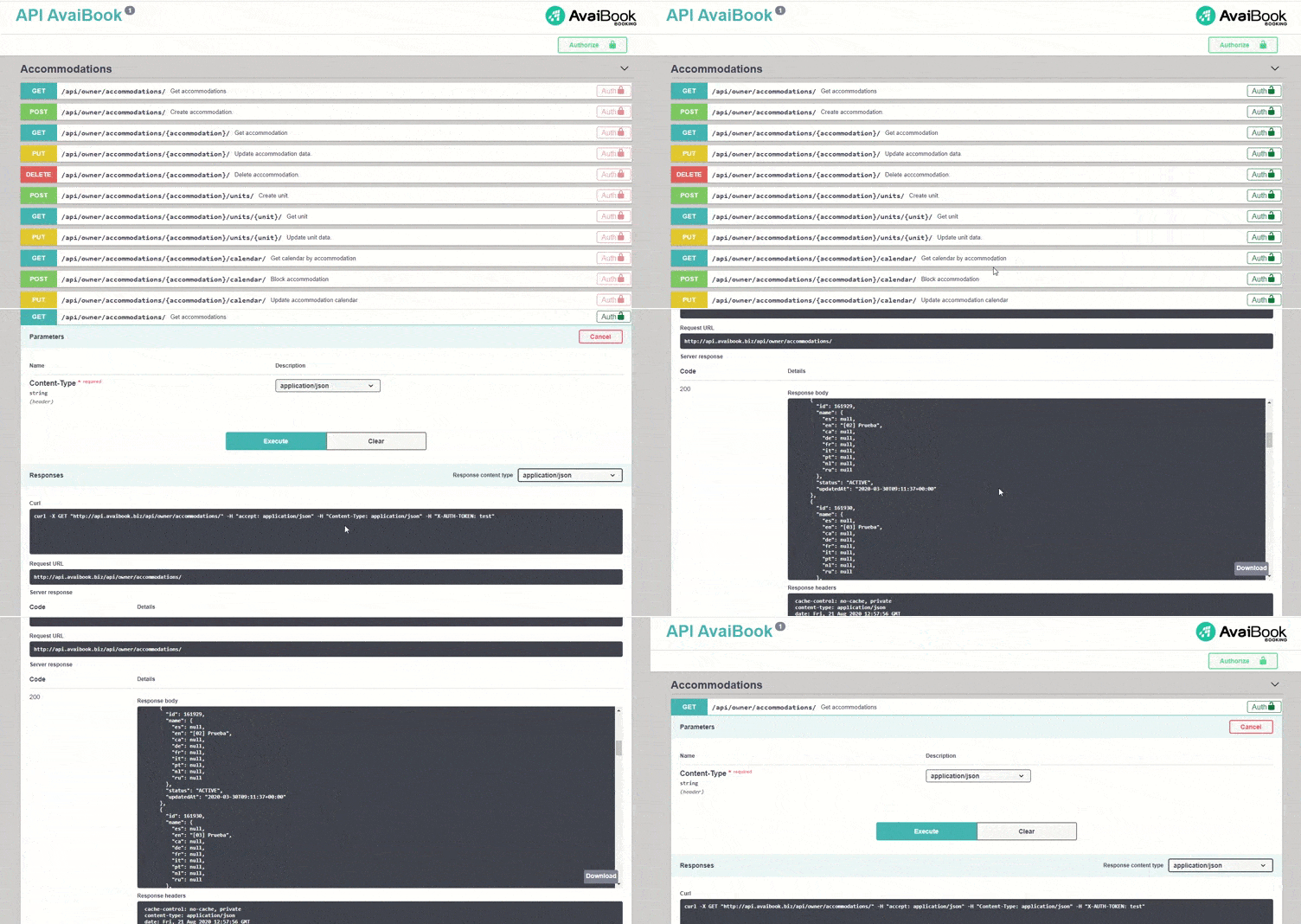
- Availability of each of your AvaiBook accommodations. Being able to get a lock or the information of a booking that has arrived through an OTA, from the booking engine or manually inserted in AvaiBook.
- Booking information (general traveler data, as well as date and occupancy information) received by the AvaiBook booking engine, channel manager or manual bookings.
- Rates, minimum stays and occupancy of your accommodations.
- Accommodation information such as name, address, cancellation policy, images, descriptions, amenities
What can you update?
- You can submit availability, either open or close a period and now in our new API you can create bookings.
- Update rates, minimum stays and occupancy.
- Change any data of the accommodation information such as trade name, features, images, etc.
- You can create or delete an accommodation in AvaiBook, with the basic information above
Error responses
List of errors:
400: Bad requestYour request could not be processed.
This is a generic error.
401: Authentication required
Your request did not include an API key or the API key is incorrect.
This error suggests that your API key was missing from your request, or that something was formatted or named improperly in your header.
403: Forbidden
You are not permitted to access this resource.
This is a generic error.
404: Resource not found
The requested resource could not be found.
This error tells you a specific resource doesn't exist. It's possible that the resource has been moved or deleted, or that there's a typo in your request.
405: Method not allowed
The requested method and resource are not compatible.
See the Allow header for this resource's available methods.
422: Unprocessable Entity
The request was well-formed but was unable to be followed due to semantic errors.
429: Quota exceeded
You have exceeded the limit of connections.
500: Internal server error
Un unexpected internal error has occurred.
Please contact Support for more information.
Rate limit
In order to avoid overloading the server, we have a rate limit of 100 requests per minute. If you exceed this limit, you will receive a 429 error.
Testing cards
The testing cards that you can use to make the payment for the Leader plan or any other payment in pre-production environment are:
Card number: 5125866096969921
Expiration month: 05
Expiration year: current year + 1
CVC: 123
CES: 1234
Card number: 4556873890891393
Expiration month: 05
Expiration year: current year + 1
CVC: 123
CES: 1234